Digital Technology Assessment Criteria (DTAC)

The Digital Technology Assessment Criteria for health and social care (DTAC) gives staff, patients and citizens confidence that the digital health tools they use meet our clinical safety, data protection, technical security, interoperability and usability and accessibility standards

The DTAC is designed to be used by healthcare organisations to assess suppliers at the point of procurement or as part of a due diligence process, to make sure digital technologies meet our minimum baseline standards. For developers, it sets out what is expected for entry into the NHS and social care

X-on Health has undergone self-assessment and are DTAC ready. This ensures our solution meets the highest standards for:

  • Clinical safety
  • Data protection
  • Technical assurance
  • Interoperability
  • Usability and accessibility

Intelligent Care Navigation System

(This assessment covers Surgery Assist, Surgery Connect and Surgery Intellect)

X-ons DTAC has been updated in line with the NHS England version 2.0, which is mandatory for all suppliers from April 6th, 2026

You must be logged in to view this content.

Not registered for the Academy? Do so here

We also have specific documentation for products within our Intelligent Care Navigation System.

Surgery Assist Standalone

You must be logged in to view this content.

Not registered for the Academy? Do so here

Surgery Connect Standalone

You must be logged in to view this content.

Not registered for the Academy? Do so here

Surgery Intellect Standalone

You must be logged in to view this content.

Not registered for the Academy? Do so here


DCB0129 Documentation

X-on Health products are compliant with DCB0129 and is a clinically safe solution for healthcare organisations to adopt and deploy.

In accordance with DCB0129 we fully comply with the standard and operate a clinical risk management system that enables us to demonstrate the safety of our digital health products.

The X-on Health Hazard Log covers all products under the Intelligent Care Navigation System (ICNS) and has separate sections for Surgery Connect, Surgery Intellect (powered by TORTUS), Omni Consultations, and the Voice Agent.

Intelligent Care Navigation System

Surgery Connect

You must be logged in to view this content.

Not registered for the Academy? Do so here

Surgery Intellect

You must be logged in to view this content.

Not registered for the Academy? Do so here

Omni Consult and Voice Workflow Agent

You must be logged in to view this content.

Not registered for the Academy? Do so here

Surgery Assist Standalone Documents


Data Protection Impact Assessment (DPIA)

A Data Protection Impact Assessment (DPIA) is a process to help an organisation identify and minimise the data protection risks of a project/product, especially for processing that is likely to result in a high risk to individuals.

It is a formal process to ensure that personal data is handled safely, legally and with minimal risk.

Surgery Assist

You must be logged in to view this content.

Not registered for the Academy? Do so here

Surgery Connect

You must be logged in to view this content.

Not registered for the Academy? Do so here

Surgery Intellect

You must be logged in to view this content.

Not registered for the Academy? Do so here

Omni Consultation

You must be logged in to view this content.

Not registered for the Academy? Do so here

Voice Agents

You must be logged in to view this content.

Not registered for the Academy? Do so here


Clinical Authority to Release (CATR)

Prior to delivery of the health IT system for go-live, the manufacturer will need to undertake a formal review of the clinical risk management activities conducted to ensure that the requirements for the clinical safety management system have been addressed.

You must be logged in to view this content.

Not registered for the Academy? Do so here


Information and Data Schedule

Information and Data Schedule for the provision of Surgery Intellect powered by TORTUS.

You must be logged in to view this content.

Not registered for the Academy? Do so here


Data Security and Protection Toolkit (DSPT)

The Data Security and Protection Toolkit (DSPT) is an online self-assessment tool used by organisations within the NHS and social care to demonstrate their adherence to data security standards. It helps organisations measure and demonstrate their performance against the National Data Guardianโ€™s 10 data security standards.

We have achieved a DSPT status of โ€˜standards exceededโ€™ – (X-on: 8JM42, Tortus: O2G5U)


Compliance/Accreditations

Cyber Essentials Plus:

X-on Health are delighted to announce they have been awarded the Cyber Essentials Plus certification, cementing our commitment to online security and protection for our customers

Cyber Essentials is a Government-backed and industry-supported scheme that helps businesses protect themselves against the growing threat of cyber-attacks. The certification is designed to provide a statement of the controls an organisation should have in place to mitigate the risk from common cyber threats.

ISO 9001

X-on Health was awarded its ISO9001 certification in 2007

ISO9001 is an internationally recognised standard for the provision of a quality management system to ensure customer satisfaction and continuous improvement

ISO 27001

X-on Health has been granted the ISO 27001 certification since 2010. This is the only internationally recognised standard for an information security management system (ISMS)

Achieving and maintaining certification to ISO 27001 demonstrates that X-on Health has implemented security best practice that protects its users and their data in accordance with internationally recognised standards, and strive to continually improve

ISO 22301

X-on Health has been awarded certification in ISO22301, an internationally recognised standard which defines business continuity management and overall risk management ad resilience in a business continuity framework

ISO 14001

X-on Health has been awarded certification in ISO14001, an internationally recognised standard which defines the standard for environmental management systems

ISO 42001

X-on Health has been awarded certification in ISO 42001, an international standard that specifies requirements for establishing, implementing, maintaining, and continually improving an Artificial Intelligence Management System (AIMS) within organisations. It is designed for entities providing or utilising AI-based products or services, ensuring responsible development and use of AI systems

Achieving and maintaining certification to ISO 42001 demonstrates that X-on Health has implemented a structured way to manage risks and opportunities associated with AI, balancing innovation with governance


Navigating Your eLearning Courses

The Academy offers comprehensive eLearning courses to help you maximise your Surgery Connect experience. The platform provides access to a diverse range of training resources, such as Interactive Demos, Assessments, and downloadable resources. Let's explore these features and learn how to navigate the courses to optimise your learning experience.


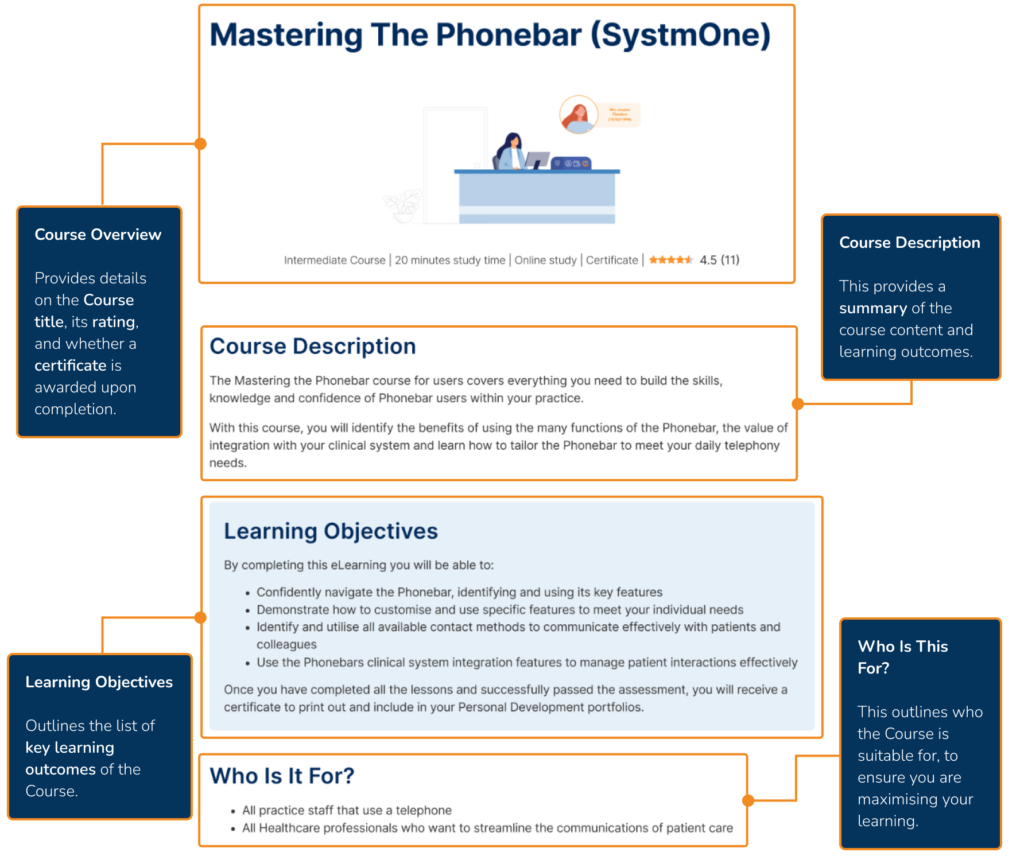
The Course Summary Page

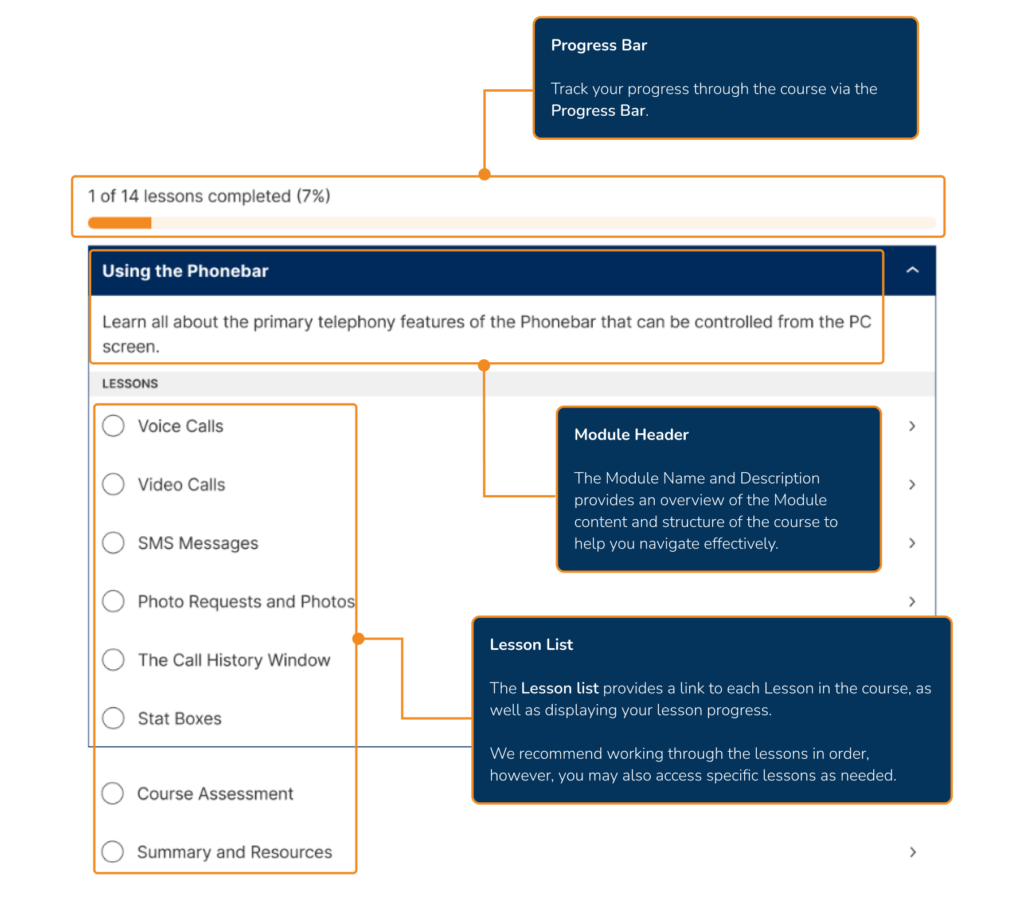
Upon opening an Academy eLearning course, you will be presented with the Course Summary Page, which provides:


Course Navigation

The Academy eLearning courses are structured into Modules and Lessons, the Course Summary Page outlines the Course structure and provides a way to navigate the Course content.


Lesson Content

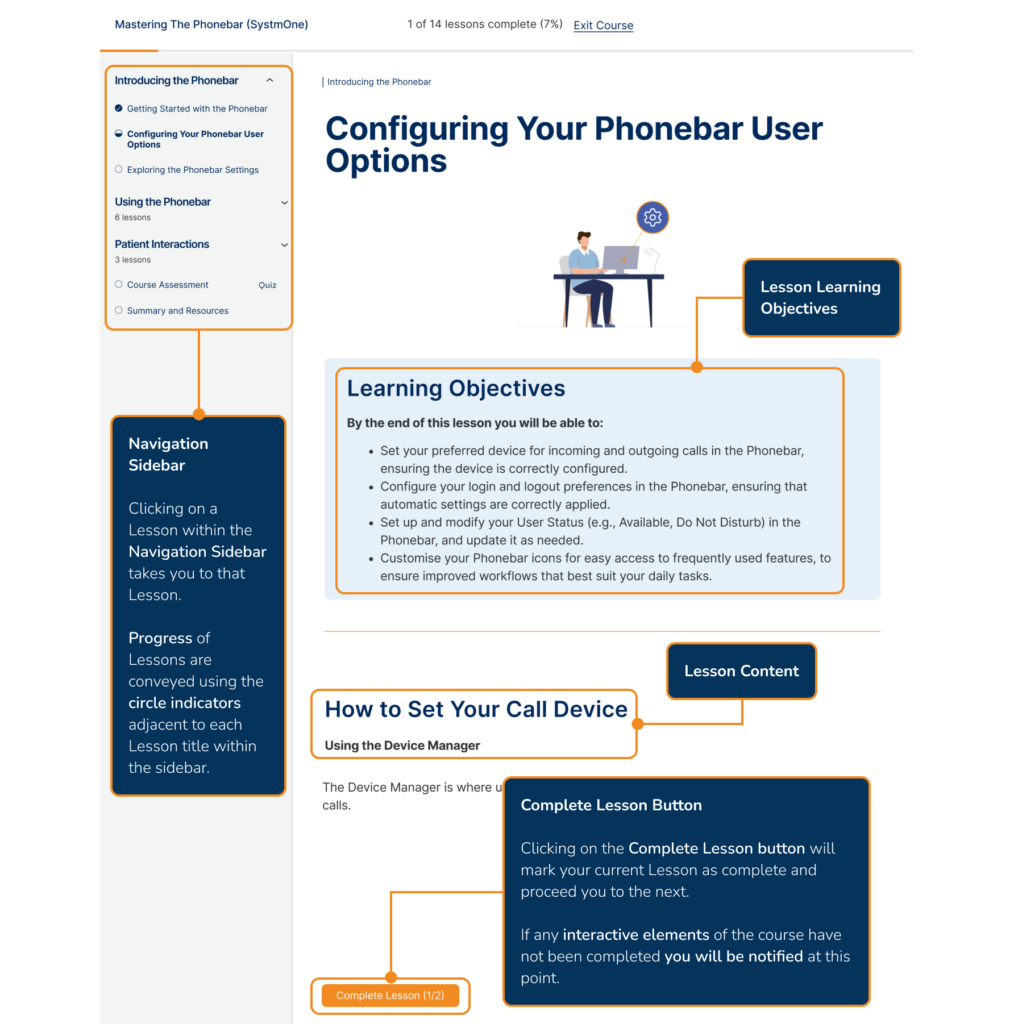
When you open a Lesson within a Course, the content will be laid out in a structured and methodical way, providing you with a distraction-free experience. It includes:

Navigation Sidebar indicators represent the following lesson statuses:


Interactive Lesson Content

An Academy Lesson can bring your learning to life in many ways. Let's explore them all.

Flip Cards

Flip Cards contain an image or title on one side and can be flipped by clicking the Flip Card option to reveal information on the other side.

Here is a look at an example of Flip Cards:

How Can the Phonebar Help You?

Optimise Patient Communications

Hotspots

Hotspots are clickable orange dots overlaid on images. Clicking a Hotspot reveals additional details about the corresponding feature within the image.

Here is an example of a Hotspot:

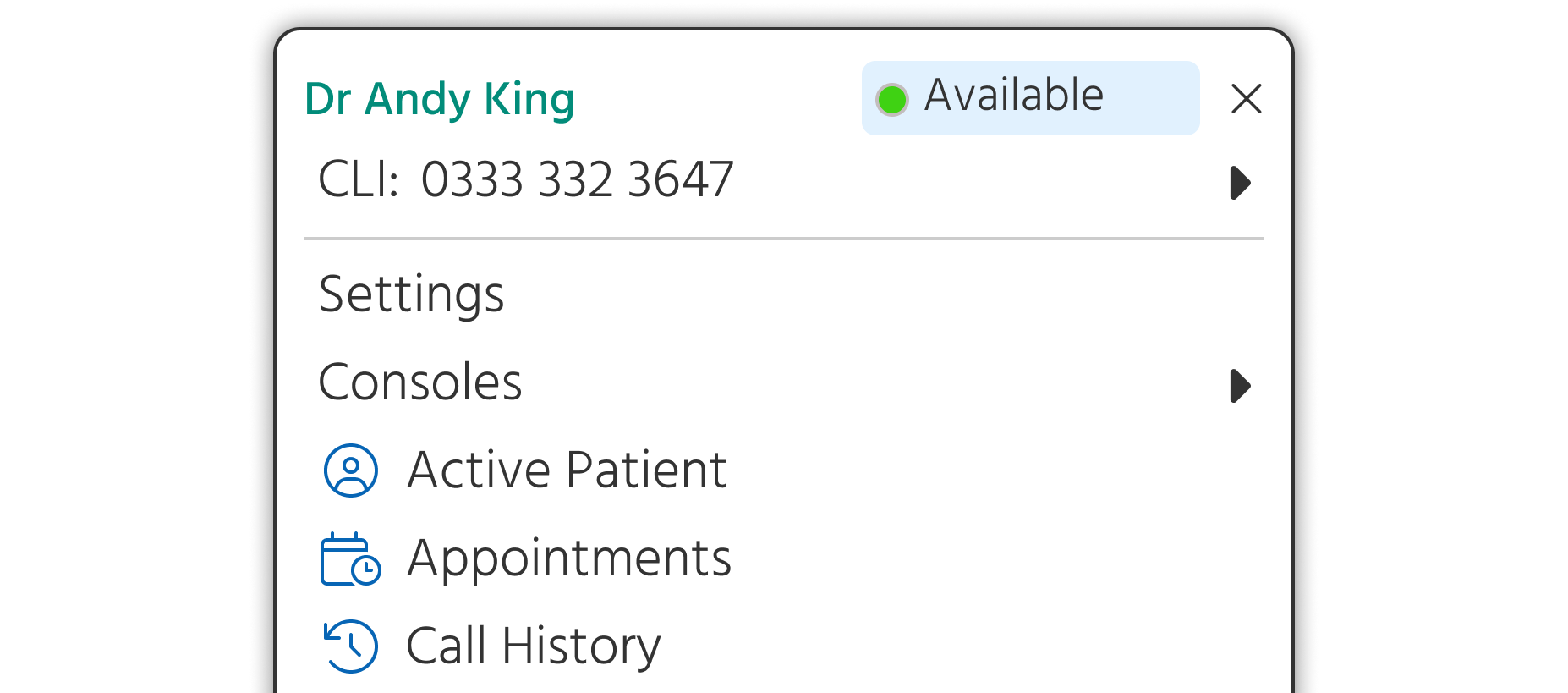
What Is the User Menu?

The User Menu provides a central location for you to access the wider Phonebar features.

Phonebar User Menu

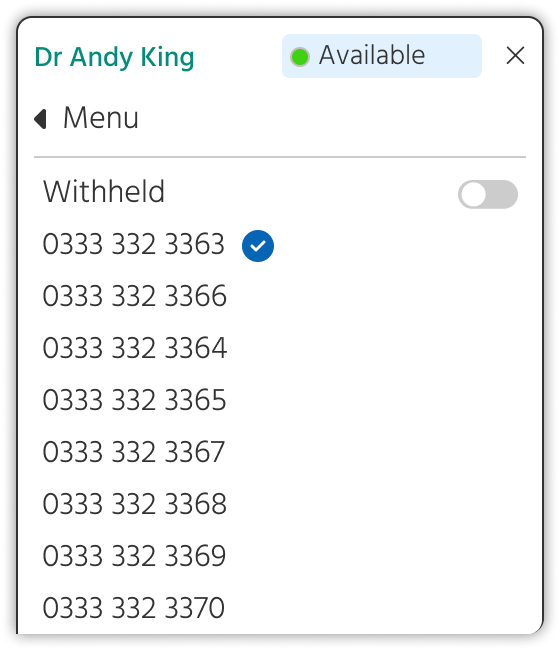
A CLI  (Calling Line Identification) is the number displayed to the recipient when making outbound calls, this can be allocated on a user basis.

WIthin this option from the Phonebar you can select the specific CLI to be displayed for you and you can also choose to withhold the outbound number, if necessary, via a toggle.

View and manage your User Status

Access the Phonebar Settings.

Access other Surgery Connect Consoles

Interactive Demos

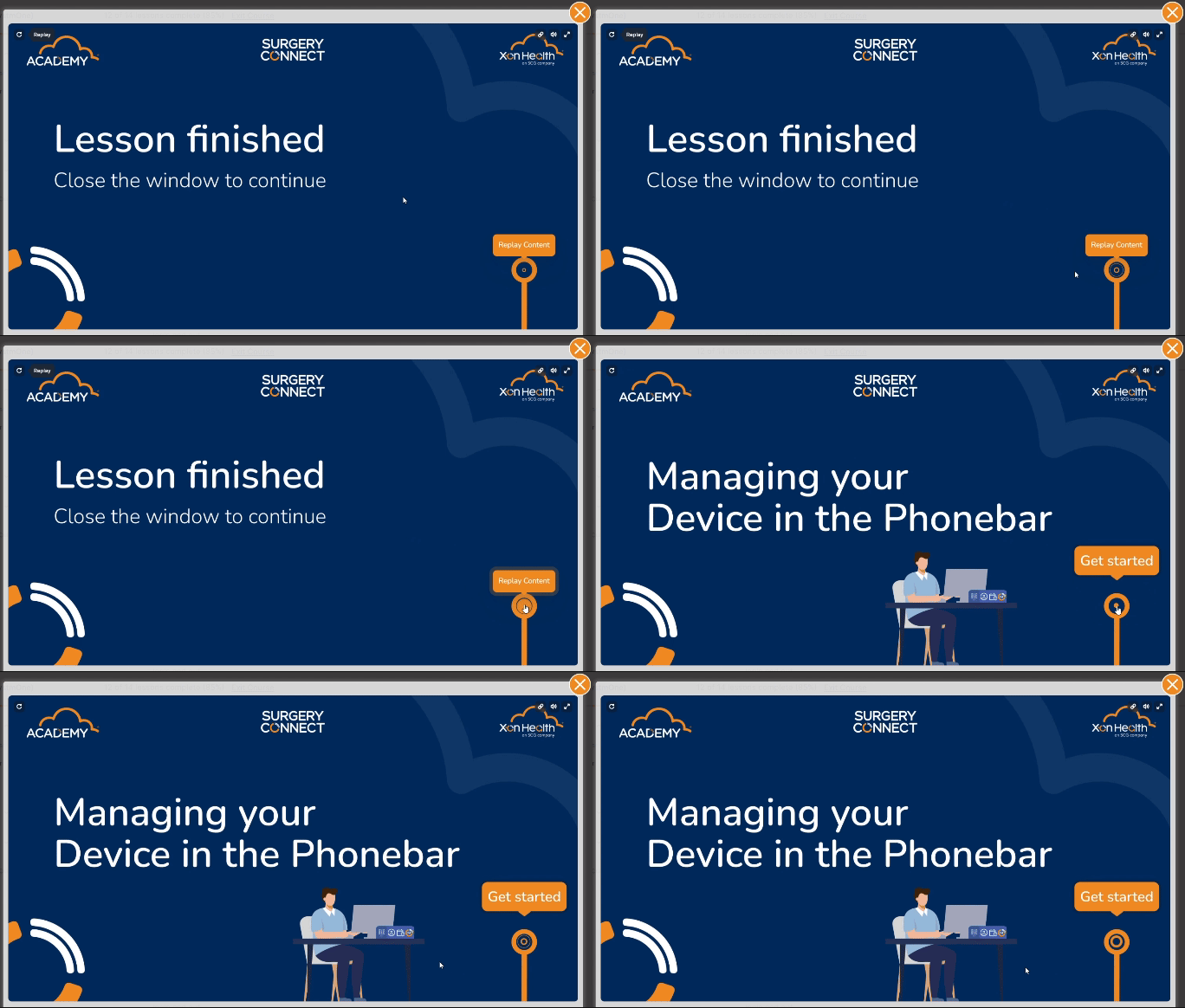
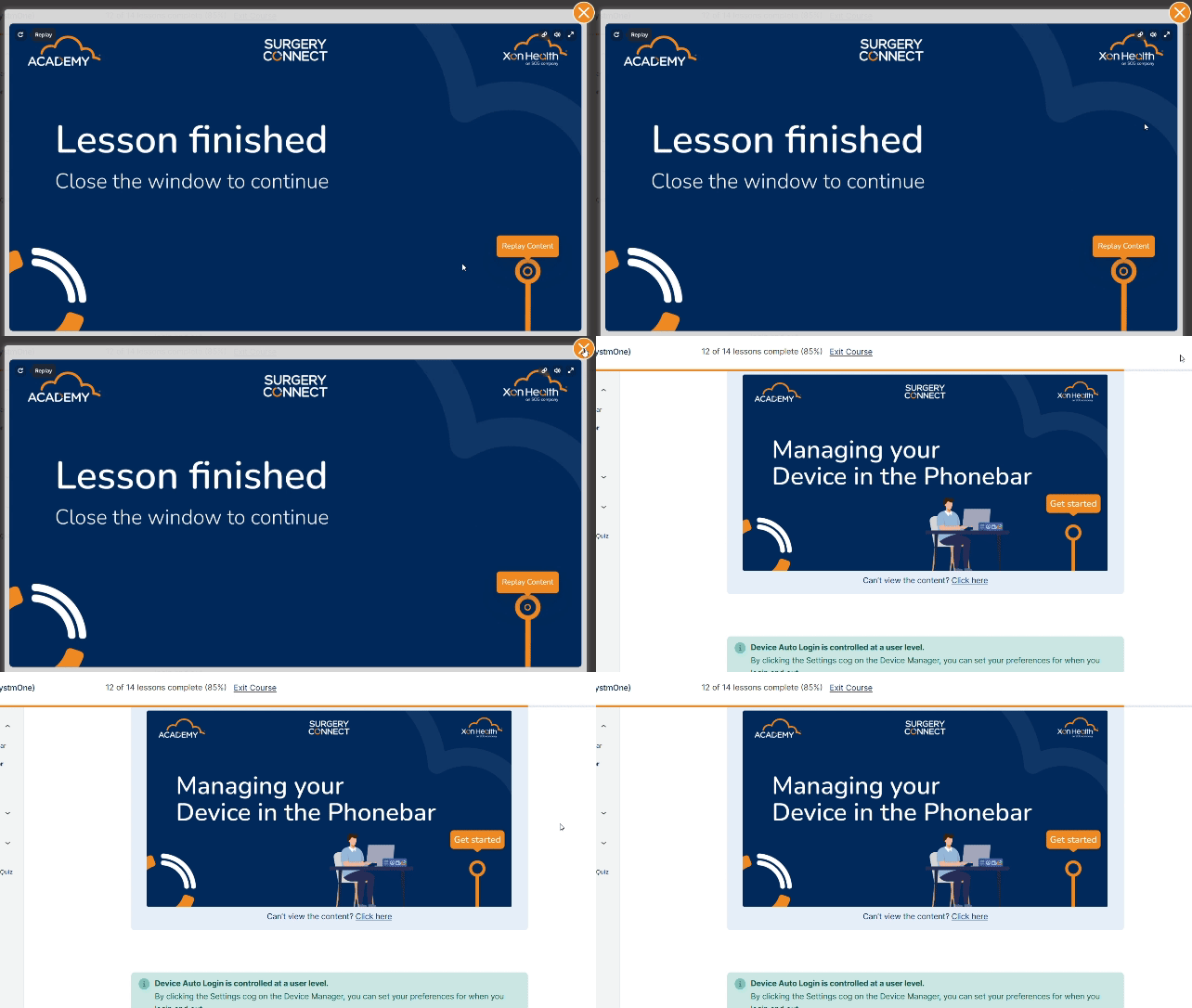
Interactive Demos are fully interactive walkthroughs of Surgery Connect features. They can be accessed by clicking the 'Get Started' option, which pops out the demo for use. Alternatively, you can click the 'Click Here' link below the image.

Interacting with demos is simple, just do so by clicking on the blue dot/text when you are ready to proceed to the next step of the demo.

Upon reaching the end of an Interactive Demo, you can click Replay Content to view it again.

Alternatively, click the orange "x" at the top right of the pop-out to exit the Interactive Demo at any point.

Here is an example of an Interactive Demo:

How To Forward to an External Number

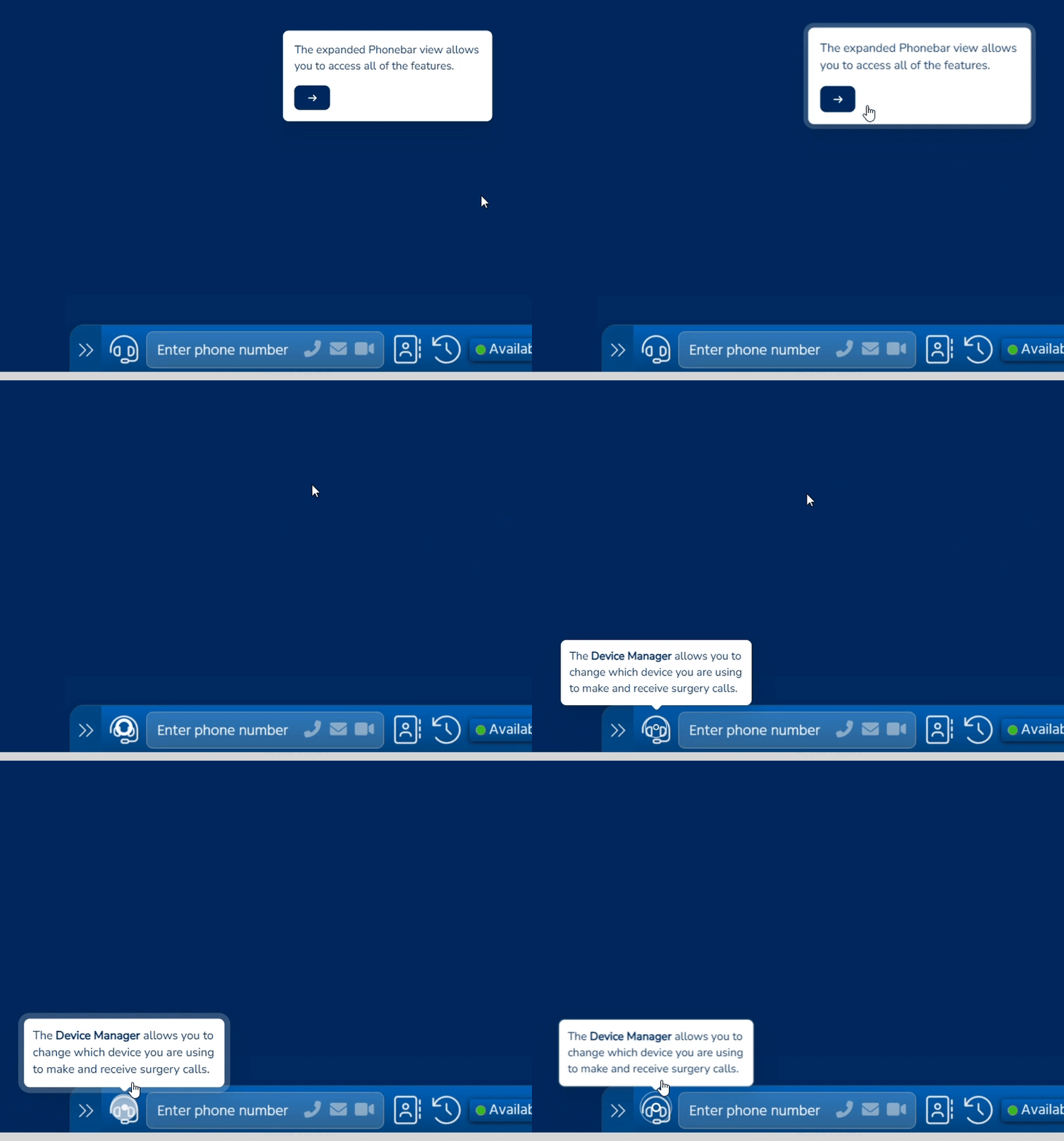
The following will show you how to forward to an external number within the Device Manager:

Interactive Videos

Interactive Videos enhance learning with pause points. These are brief text summaries that appear at specific moments in the video. Their time of popup is indicated by navy blue circles on the playback bar.

Here is a look at an example of an Interactive Video:

Moving and Collapsing Your Phonebar

Watch Interactive Video (13 seconds)

Video progress: 0%

You can change the position of your Phonebar by dragging it.

You can also collapse your Phonebar by clicking the button at the end of the Phonebar containing two arrows.

Test Your Knowledge Questions

At various points in a Course, you will be presented with a question to help cement your learning. You can attempt these questions as many times as needed, and while correct answers are required to progress, they won't be factored into your final Course Assessment.


Call-outs and Icons

Academy lessons use a variety of icons and callout boxes to visually highlight key concepts. As you progress through your courses, these symbols will become familiar navigational aids.


Assessments

Assessments can be at the end of individual Lessons, Modules, or the entire Course. The content of each Assessment aligns with the Learning Objectives of the Course or Lesson. 

Upon entering the Assessment, you will be presented with a range of questions. The types of questions that can be asked include:

  • True or False
  • Multiple Choice
  • Gap Fill
  • Drag and Drop Ordering

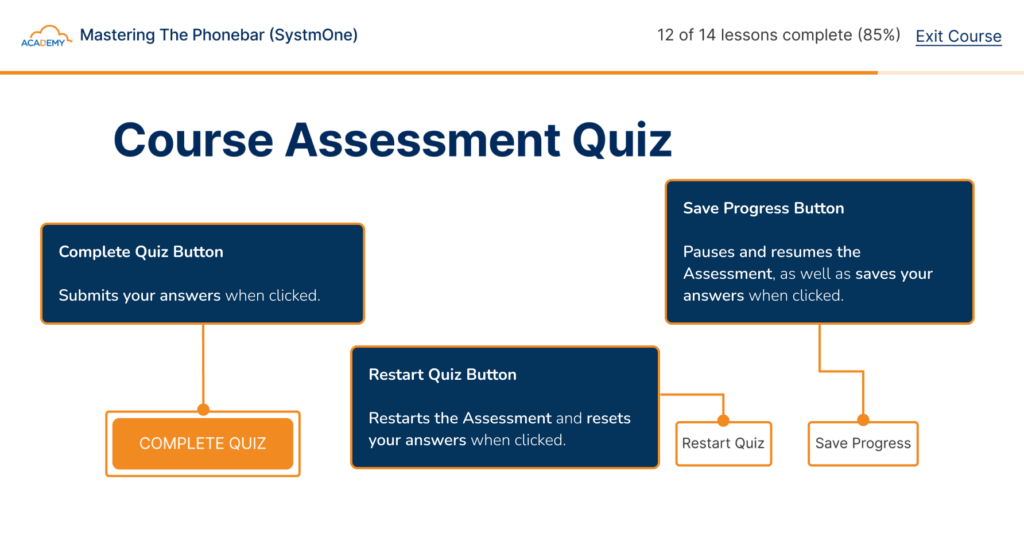
Our flexible Assessments are designed to help you practice at your own pace:

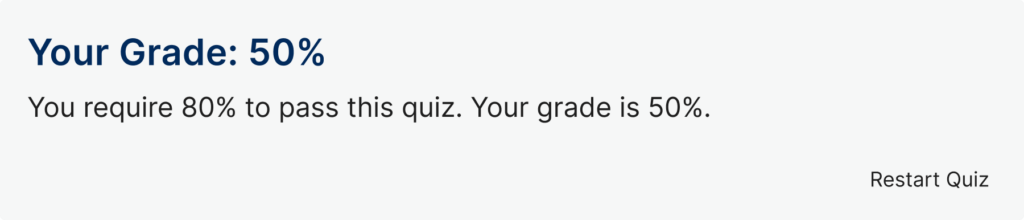
When an Assessment has been completed, you can expect an instant Assessment grade and feedback on your answers. Assessments can be re-taken as many times as you need without any penalty on your score.

To earn your certificate you will need to receive a minimum grade, this will be highlighted when your score is presented.


Summary and Resources

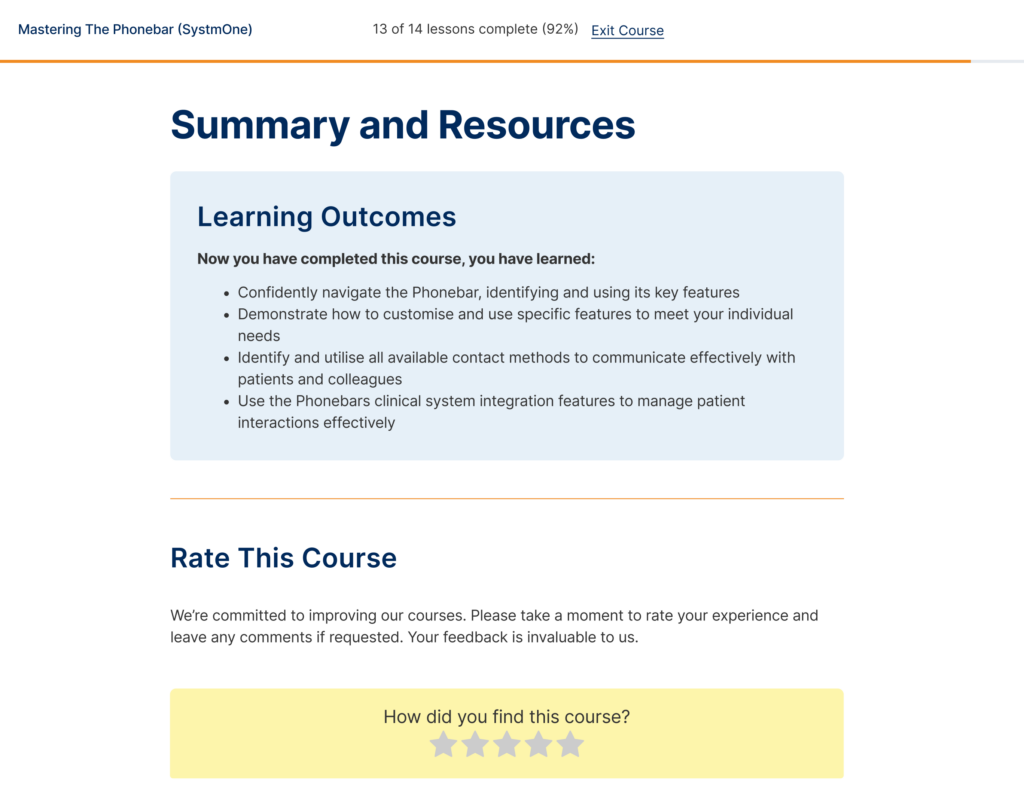
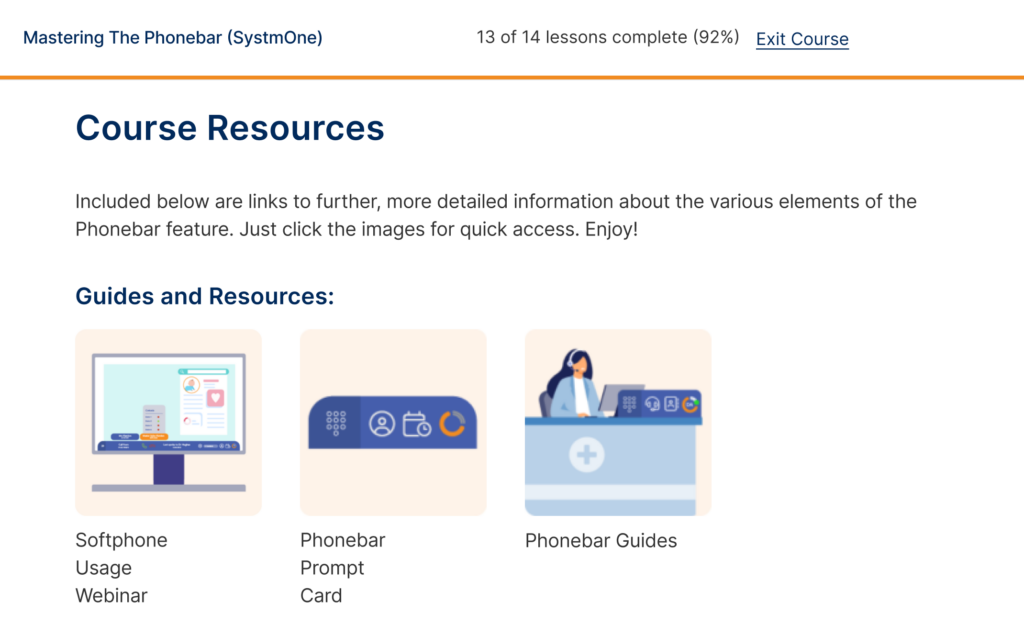
After completing your Course Assessment you can proceed to the Summary and Resources page. This includes links to further, more detailed information about the various elements covered in each Course. These resources are designed to support you in understanding the product outside of the eLearning platform.

Below the Course rating is a list of Course resources which include more detailed information relating to the topics covered in the Course.

Resources include guides, downloadable content, videos, and demo recaps.


Course Completion Page

Upon completing all Lessons within the Course and meeting the Assessment criteria, you'll be directed to the Course Completion Page, containing the option to view, save or print your certificate as well as explore additional Courses.

Viewing your certificate opens it up in a separate tab, allowing you to download it as a PDF to include within your personal development plan portfolio.


Close this tab to return to your learning.

Voice over Internet Protocol (VoIP) allows users to make voice calls using a broadband Internet connection instead of a regular (or analogue) phone line.

Report Column NameExplanation
Hour/DayThe report can be by hour, or by day
Calls When Patient Callback ActivePatient Callback only becomes active when your parameters are met - this tells you how many calls you received overall when those parameters were met
Calls Handled by Patient CallbackPatient Callbacks requested (in that hour/day)
Callbacks MadePatient Callbacks made (in that hour/day)
Callbacks AcceptedSuccessful callbacks (in that hour/day)
Callbacks RejectedCallback rejected
Callback Attempts ExceededCalllback where the attempts were exceeded - not answered
Queue TimeoutWhere any max queue duration settings are met
Callback ResetCallback cancelled due to closure times
Caller Rang Back InCaller rang back in before callback attempted
Caller Rang Back in - Rejoined QueueCaller rang back in before callback attempted and re-joined the queue
Caller Rang Back in - Hung UpCaller rang back in before callback attempted and hung up (stayed in callback queue)
Caller Rang Back in - CancelledCaller rang back in before callback attempted and cancelled the callback request
Total time in virtual queueTotal time all calls in that hour/day were in the virtual queue
Avg time in virtual queueAverage time each call in that hour/day was in the virtual queue
Total Time in real queueIf someone rings back in and rejoins the โ€œrealโ€ queue this would be reflected here.
Avg time in real queueIf someone rings back in and rejoins the โ€œrealโ€ queue this would be reflected here.

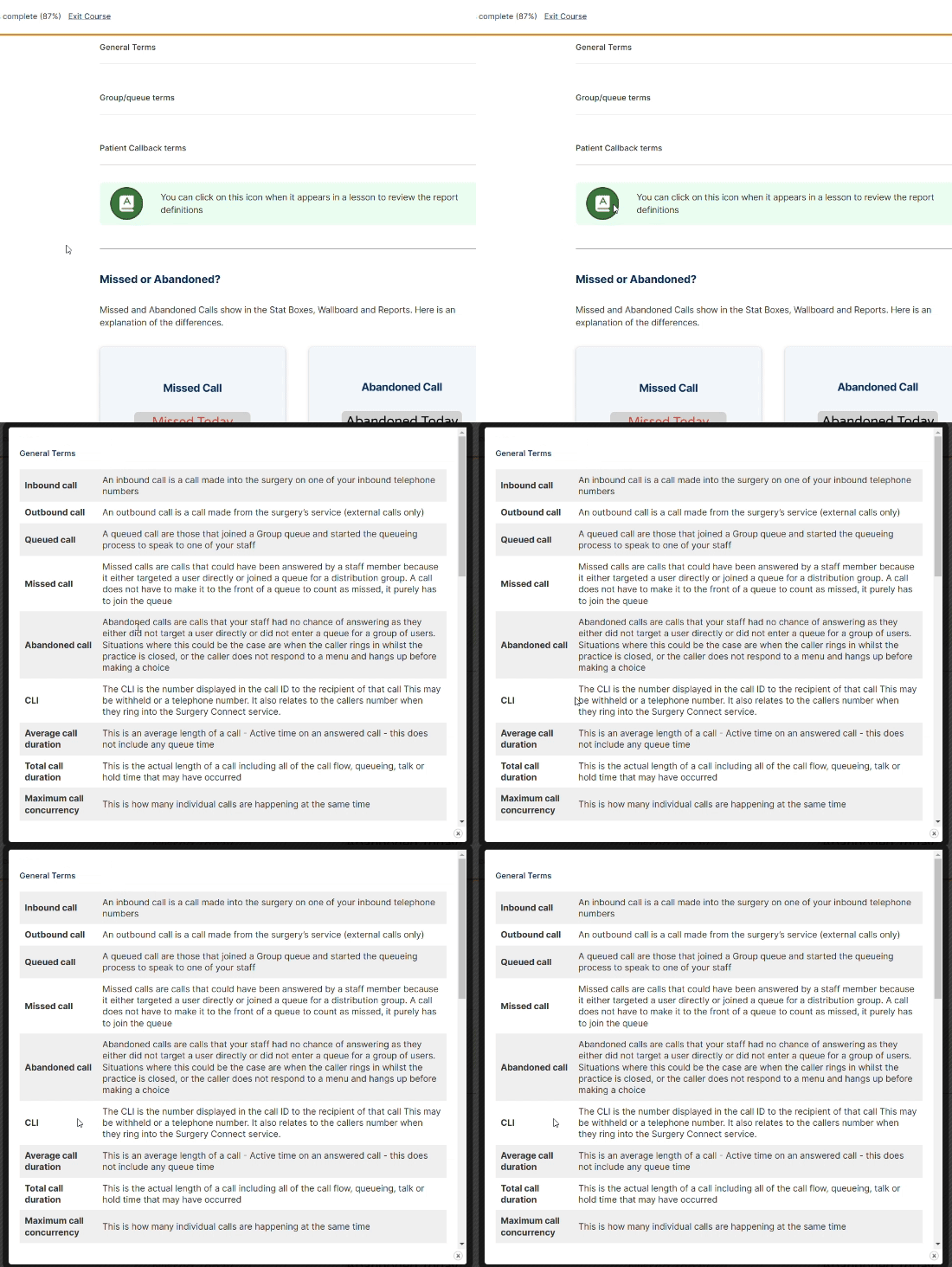
General Terms

Inbound callAn inbound call is a call made into the surgery on one of your inbound telephone numbers
Outbound callAn outbound call is a call made from the surgeryโ€™s service (external calls only)
Queued callA queued call are those that joined a Group queue and started the queueing process to speak to one of your staff
Missed callMissed calls are calls that could have been answered by a staff member because it either targeted a user directly or joined a queue for a distribution group. A call does not have to make it to the front of a queue to count as missed, it purely has to join the queue
Abandoned callAbandoned calls are calls that your staff had no chance of answering as they either did not target a user directly or did not enter a queue for a group of users. Situations where this could be the case are when the caller rings in whilst the practice is closed, or the caller does not respond to a menu and hangs up before making a choice
CLIThe CLI is the number displayed in the call ID to the recipient of that call This may be withheld or a telephone number. It also relates to the callers number when they ring into the Surgery Connect service.
Average call durationThis is an average length of a call - Active time on an answered call - this does not include any queue time
Total call durationThis is the actual length of a call including all of the call flow, queueing, talk or hold time that may have occurred
Maximum call concurrencyThis is how many individual calls are happening at the same time

Group/queue terms

Queued for groupThe total number of calls that queued for that group
Answered from queueThe number of calls in the queue that were answered
% answered from queueThe percentage of calls answered from the queue
Missed from queueThis is the total number of calls that joined the queue but did not get answered
% missed from queueThe percentage of calls missed from the queue
Missed from queue under 10 secondsThese are the calls that joined the queue but the caller hung up before 10 seconds of queueing had occurred. These may not want to be considered when assessing call answering efficiency as there was little chance of your staff answering these calls due to the caller hanging up so quickly
Queue durationThe length of time the caller spent in the queue

Patient Callback terms

Calls when patient callback activeThis is the total number of inbound calls whilst patient callback was offered
Calls handled by patient callbackThis is the number of calls that chose the patient callback option
Callbacks madeThis is the number of callback calls made
Callbacks acceptedThis is the number of callback calls that were answered and accepted by the patients
Callbacks rejectedThis is the number of callback calls that were unanswered or cancelled by the patients
Queue timeoutThis is where a maximum queue time has been set on the service and the time in that queue is reached
Caller rang back inThis is where a caller has selected a callback but calls in again
Caller rang back in - rejoined queueThis where a caller has selected a callback but has rung in and rejoined the queue before they have received a callback from the surgery
Caller rang back in - hung upThis is where a caller has called in again and hung up
Caller rang back in - cancelledThis is where a caller has a callback booked but has rung in and cancelled that callback when given the option
Time in virtual queueThis is the amount of time the callers would have spent in the queue if they had not selected a callback