
Course description
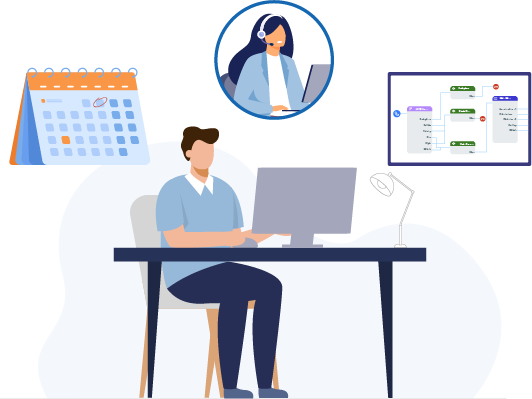
The ‘Getting Started with Management Tools’ course empowers Practice Managers and senior clinicians to tailor Surgery Connect to their surgery’s unique needs, focusing on how to strategically configure the system to ensure every patient request is handled efficiently. You will gain practical skills in managing team access through Users and Groups, aligning the system with your surgery’s hours via Calendars, and designing intuitive call flows to manage peak demand effectively. Ultimately, mastering these tools reduces administrative burden and creates a more agile practice, significantly improving patient access and the overall caller experience.

Learning objectives
By completing this eLearning, you will be able to:
Once you have completed all the lessons and successfully passed the assessment(s), you will receive a certificate that you can print out and include in your Personal Development portfolios.
Who is it for?
Surgery Connect can be set up by Supervisors in the practice and allows you to customise the settings specifically for your surgery. This includes the configuration of the people (Users), the phones you’re going to use (Extensions), how to distribute your calls (Groups), your surgery operating times (Calendar), and how you want to bring it all together (Numbers and call flows). This is all accessed through the Service Delivery Console (SDC).
Service Delivery Console features:

Course structure
This eLearning course uses progressive lessons to build knowledge. Lessons may include supporting images, interactive demos, or videos. Lessons can be taken in any order and paused/resumed at any time.

Assessment and certification
This self-paced course has no deadline. Some courses include a final test with a required pass mark for certification. Upon passing, learners receive a downloadable certificate for personal development portfolios.

Navigation help
For detailed guidance on navigating the eLearning lessons effortlessly, explore our comprehensive instructional course. This course provides step-by-step instructions and tips to enhance your learning experience.
Lesson resources
Included below are links to further, more detailed information about the Supervisor Training Course. Just click the images for quick access. Enjoy!
Guides:

Users and Group Guide

Extensions Guide

Calendars Guide
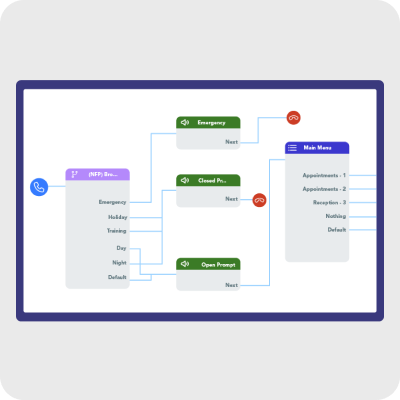
X-flow Guide
Demos:

All Supervisor Training Demos