
ROLE PATHWAY
Management & data
Our learning paths are carefully curated to help you deliver the best possible experience for staff and patients.
Transform your X-on Health data into practical, actionable insights to enhance your practice. This pathway provides the essential toolkit for optimising operational efficiency, including monitoring team performance, ensuring clinical safety compliance, and leveraging built-in reporting to understand patient demand. Furthermore, easily access configuration guides and information for early adoption of new features to provide comprehensive support for your practice.
We have created a series of courses, webinars, and resources to help you achieve this goal.

Key courses:
Our courses cover essential system configurations, advanced analytics, and operational management tools. For the best learning experience, we recommend completing the modules to optimise team performance, leverage data-backed insights, and streamline practice efficiency.
Watch and learn
-
Introducing the latest Surgery Intellect, powered by TORTUS enhancements
Can’t view the content?
Learn how Surgery Intellect automates clinical documentation with ambient voice technology, custom templates, EHR filing, and meeting modes for efficient practice workflows.
-
One system, every access route ep5: One connected way forward
Can’t view the content?
In this webinar, we looked at how different access routes can feed into a joined-up workflow, helping practices manage demand, reduce pressure and guide patients to the right support.
-
From Data to Decisions: Optimising practice performance with Surgery Insights webinar
Can’t view the content?
Built to help you manage practice demand whilst optimising patient access, Surgery Insights acts as a central hub for your operational data, merging your communication metrics with publicly available NHS data into a single, streamlined dashboard. Rather than guessing, this session will show you how to transform integrated data streams into actionable, visual insights to make confident, informed decisions for your practice.
-
From data to decisions: Introducing Enhanced Reporting
Can’t view the content?
Discover how the latest Surgery Connect Reporting updates leverage Power BI and Google BigQuery to transform your NHS practice data into actionable, visual insights. In just 30 minutes, you’ll learn to navigate refreshed dashboards, isolate high-pressure periods, and seamlessly roll out these enhanced analytical tools to your team.
-
Smarter workflows, better access: Introducing your new Surgery Connect features
Can’t view the content?
Join this 30-minute session to explore how new Surgery Connect features reduce reception “phone fatigue” and give patients more autonomy. Discover how live website widgets manage expectation queues to curb the morning rush, while dynamic, department-specific callbacks personalize patient signposting. You will also see how voicemail transcriptions and Power BI dashboards save admin time and drive data-backed decisions, alongside simpler silent monitoring for staff training and CPD-accredited rollout resources.
-
Equity of access: Introducing Omni Consultations
Can’t view the content?
Streamline patient access with a unified workflow that handles voice, digital, and staff-supported requests. This session features a live Voice Agent demo, showing how automated call-ins capture structured data to ease form reliance and reduce queues. You will learn to lower call volumes via self-booking, automate triage with Surgery Assist, and ensure true patient choice, all while accessing the CPD-certified training needed for a smooth rollout.
Related resources:
General resources:

Surgery Connect newsfeed

Help centre

Phonebar prompt card
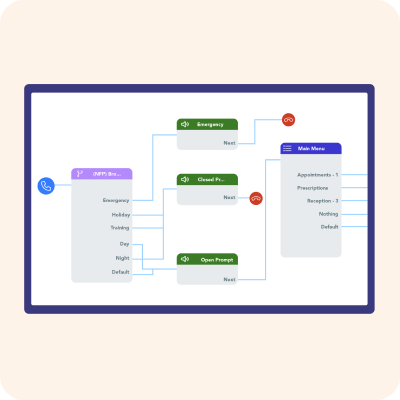
Call Routing considerations checklist
Check and Cancel troubleshooting
Patient Facing Resources – Supporting successful adoption:
Our collection of patient facing resources make it simple to promote new features to your patients.

Surgery Assist
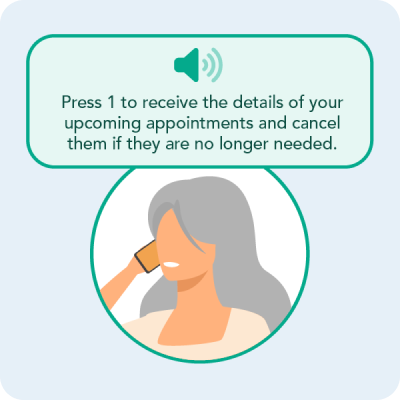
Check and Cancel

Surgery Connect
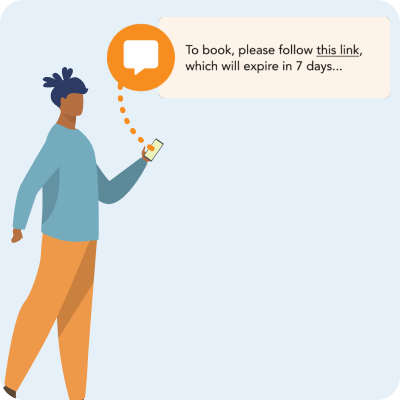
Surgery-Led Appointment Bookings

Surgery Intellect
Case studies:
Streamlining patient navigation at Frome Medical Practice
The Bay Medical Practice improves access transparency via Website Widgets in Surgery Connect

Reducing call wait times at Whitehill Surgery

Keppoch Medical Practice supports out-of-hours patient access through Surgery Assist

Alexander House Surgery enhances equitable access with Voice Agent