

Course description
This course is designed to guide your practice team through the advanced configuration and management of our AI Digital Assistant that supports streamlined care navigation.
In this course, you’ll learn how to customise the Surgery Assist Resources Library for your local community. We’ll cover writing clear instructions and setting safety checks so your AI Digital Assistant always provides reliable, accurate guidance. By the end, you’ll know how to direct patients to the right care faster, freeing up staff time and reducing routine demand on your practice.

Learning objectives
By completing this eLearning, you will be able to:
Once you have completed all the lessons and successfully passed the assessment(s), you will receive a certificate that you can print out and include in your Personal Development portfolios.
Who is it for?
Important information before taking this course
Have you completed the Surgery Assist Lite course?
To keep this course focused entirely on advanced Pro capabilities, we do not cover the foundational features shared with Assist Lite. As these core elements are critical to a safe and successful setup, team members who have not completed the Lite course should review our Getting Started with Surgery Assist Lite module first to ensure you are fully covered on:
- Setting up a Surgery Profile
- Understanding Guardrails (critical safety protocols for protecting practice and patient data)
- Configuring Surgery Connect Features
- Publishing & the Patient Experience
- Reporting
- Completing both courses ensures your team has all the necessary knowledge for a full, secure rollout.


Course structure
This eLearning course uses progressive lessons to build knowledge. Lessons may include supporting images, interactive demos, or videos. Lessons can be taken in any order and paused/resumed at any time.

Assessment and certification
This self-paced course has no deadline. Some courses include a final test with a required pass mark for certification. Upon passing, learners receive a downloadable certificate for personal development portfolios.

Navigation help
For detailed guidance on navigating the eLearning lessons effortlessly, explore our comprehensive instructional course. This course provides step-by-step instructions and tips to enhance your learning experience.
Lesson resources
Included below are links to further, more detailed information about Getting started with Surgery Assist Lite and suggested courses. Just click the images for quick access. Enjoy!
Guides and resources:

An introduction to Surgery Assist Lite and Pro Guide
Surgery Profile Guide

Resource Library Guide

Surgery Assist Report Guide

Provide call queue
transparency for your
patients
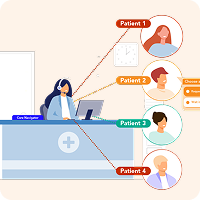
Optimise Patient Callback
Surgery Assist – AI Overview