
Course description
Welcome to the Surgery Assist Lite academy course. This course is designed to guide staff through our quickest way of introducing AI-powered care navigation to your surgery.
You will explore how this AI Digital Assistant creates an accessible digital front door across your website and telephone call flow, serving patients’ with trusted surgery information and directing them toward self-help using national community resources. Throughout this course, you’ll see how Surgery Assist Lite helps channel patients toward the NHS App and online consultation tools, delivering a simple setup that noticeably reduces routine surgery demand within weeks.

Learning objectives
By completing this eLearning, you will be able to:
Once you have completed all the lessons and successfully passed the assessment(s), you will receive a certificate that you can print out and include in your Personal Development portfolios.
Who is it for?

Course structure
This eLearning course uses progressive lessons to build knowledge. Lessons may include supporting images, interactive demos, or videos. Lessons can be taken in any order and paused/resumed at any time.

Assessment and certification
This self-paced course has no deadline. Some courses include a final test with a required pass mark for certification. Upon passing, learners receive a downloadable certificate for personal development portfolios.

Navigation help
For detailed guidance on navigating the eLearning lessons effortlessly, explore our comprehensive instructional course. This course provides step-by-step instructions and tips to enhance your learning experience.
Lesson resources
Included below are links to further, more detailed information about Getting started with Surgery Assist Lite and suggested courses. Just click the images for quick access. Enjoy!
Guides and resources:

An introduction to Surgery Assist Lite and Pro Guide
Surgery Profile Guide

Resource Library Guide

Surgery Assist Report Guide

Provide call queue
transparency for your
patients
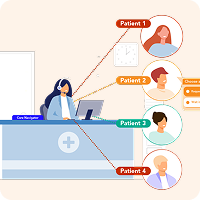
Optimise Patient Callback
Surgery Assist – AI Overview